Create Caricature of Me: Tips, Trik, dan 30 Prompt Paling Akurat
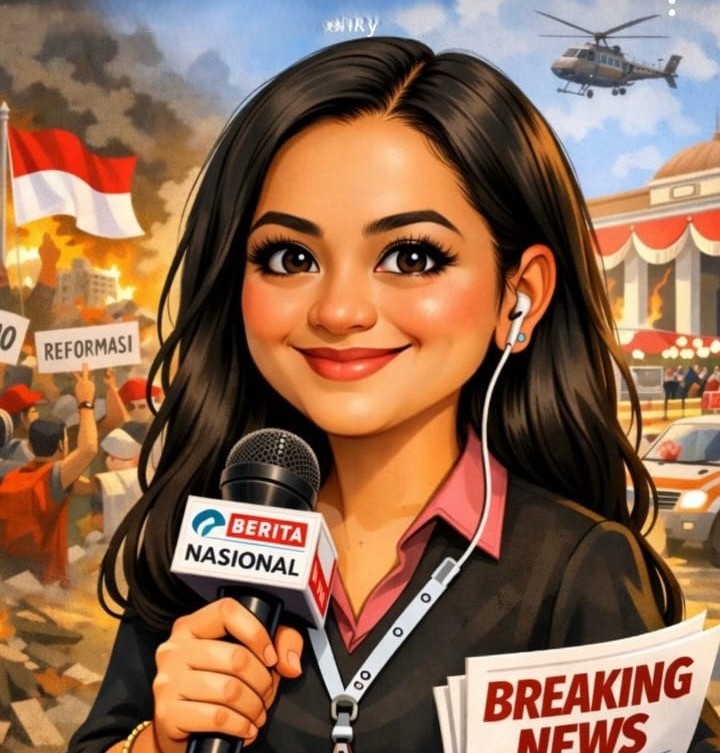
BeritaNasional.com - Tren create caricature of me menggunakan ChatGPT semakin populer di media sosial. Mulai dari sekadar hiburan, konten ini kini berkembang menjadi alat personal branding visual, baik untuk Instagram, LinkedIn, hingga foto profil profesional.
Kunci keberhasilan membuat AI caricature yang mirip, lucu, dan tidak berlebihan bukan terletak pada aplikasinya, melainkan pada foto awal dan strategi prompt yang digunakan.
Berikut panduan praktis yang sudah diuji, sekaligus 30 prompt terbaru yang bisa langsung Anda gunakan.
Tren Create Caricature of Me
Cara Membuat AI Caricature dengan ChatGPT yang Mirip dan Natural
1. Gunakan Foto yang Tepat (Faktor Penentu)
- Pemilihan foto sangat menentukan hasil akhir karikatur AI.
- Gunakan foto dengan kriteria:
- Menghadap kamera (front-facing)
- Pencahayaan alami, idealnya dekat jendela
- Ekspresi netral atau senyum tipis
- Rambut terlihat jelas
Hindari foto dengan kondisi:
- Menggunakan kacamata hitam
- Filter berlebihan
- Foto grup
- Sudut ekstrem
- Resolusi rendah
Catatan penting: AI sangat sensitif terhadap detail rambut dan bentuk wajah. Foto yang bersih akan menghasilkan karikatur yang jauh lebih akurat.
2. Upload Foto ke ChatGPT dan Gunakan Prompt Spesifik
Setelah foto diunggah, gunakan prompt yang jelas dan terarah. Prompt terlalu umum cenderung menghasilkan ilustrasi generik.
Contoh prompt dasar yang aman dan konsisten: “Create a stylized caricature of this person. Keep facial features recognizable but slightly exaggerated in a playful, flattering way. Smooth lines, bright colors, clean background. Cartoon-style illustration, not photorealistic. Friendly modern editorial vibe.”
Prompt ini cocok untuk pemula karena menjaga keseimbangan antara kemiripan wajah dan gaya kartun.
3. Atur Tingkat Eksagerasi (Rahasia Hasil Terbaik)
Jangan berhenti di satu kali generate. Hasil terbaik biasanya muncul setelah beberapa penyesuaian.
Gunakan prompt lanjutan sesuai hasil awal:
1. Terlalu realistis:
“Make it more cartoonish and illustrative.”
2. Terlalu berlebihan:
“Reduce exaggeration slightly, keep proportions natural.”
3. Kurang mirip:
“Make the eyes and face shape closer to the original photo.”
Berdasarkan uji coba, hasil optimal muncul di percobaan ke-2 atau ke-3.
Cara Membuat Job Caricature agar Lebih Personal
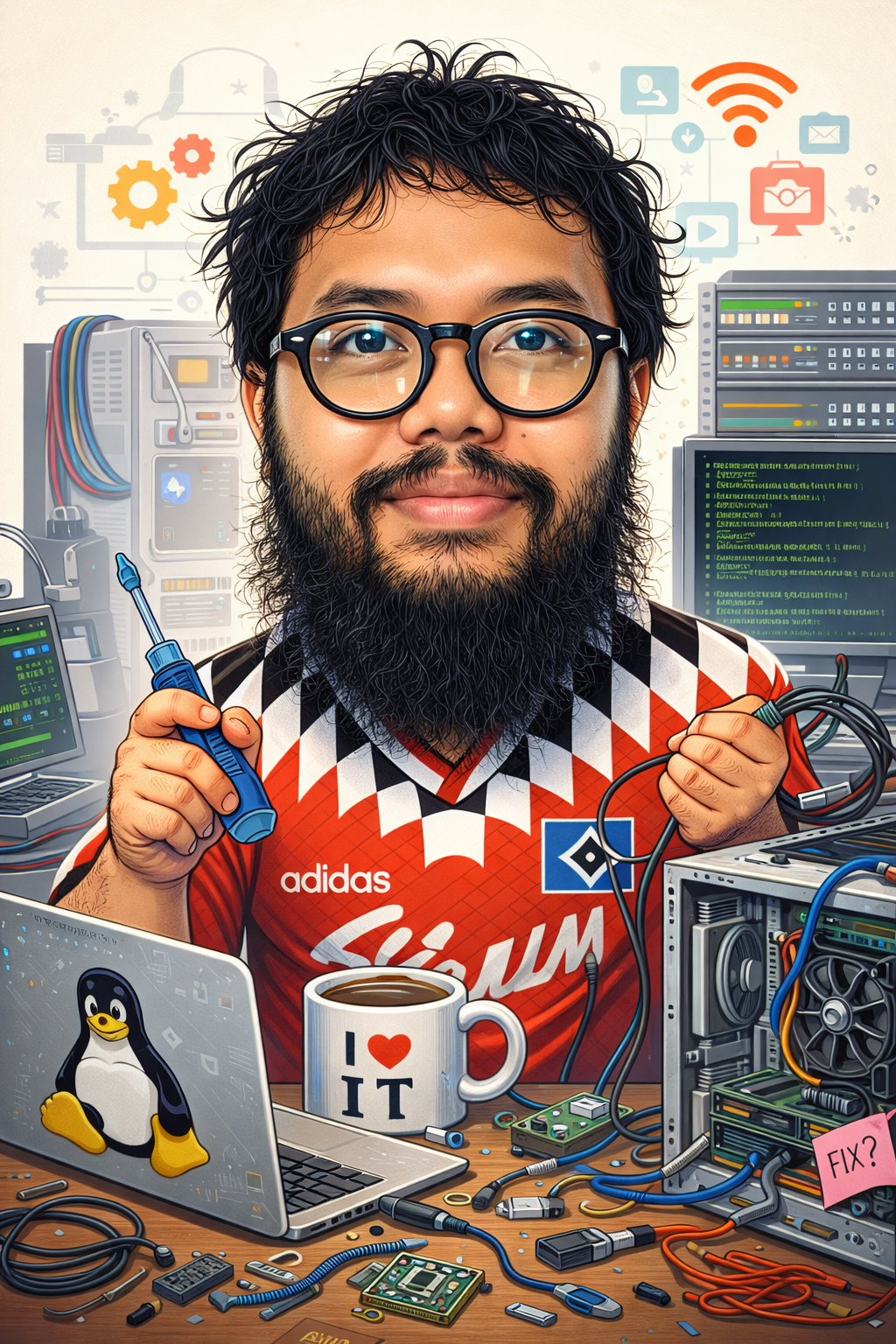
Agar karikatur terasa “hidup”, tambahkan detail pekerjaan dan kebiasaan sehari-hari.
Detail yang bisa ditambahkan:
- Nama profesi
- Tools kerja
- Kebiasaan unik
- Elemen humor (kopi, sticky notes, laptop rusak)
Contoh deskripsi tambahan: “I’m a digital marketer who works late nights, loves spreadsheets, and drinks too much iced coffee.”
Pendekatan ini membuat AI menghasilkan visual yang lebih relevan dan relatable.
30 Prompt Terbaru Create Caricature of Me
1. Classic Editorial Style
Create a clean editorial-style caricature of me with subtle exaggeration and modern colors.
2. 3D Pixar Look
Turn my photo into a 3D Pixar-style caricature with soft lighting and expressive facial features.
3. Minimalist Flat Design
Create a minimalist flat caricature of me with bold colors and simplified shapes.
4. Professional LinkedIn Caricature
Create a professional yet playful caricature of me suitable for a LinkedIn profile.
5. Job Desk Chaos
Create a humorous caricature of me surrounded by my daily work tools and desk chaos.
6. Coffee Addict Version
Create a caricature of me powered by coffee, holding an oversized coffee cup.
7. Remote Worker Life
Create a cozy caricature of me working from home with casual vibes.
8. Creative Studio Style
Create an artistic caricature of me inside a creative studio environment.
9. Tech Professional Look
Turn me into a modern tech-style caricature with clean lines and digital elements.
10. Startup Founder Vibe
Create a caricature of me as a startup founder with energetic expression.
11. Cartoon Magazine Cover
Create a magazine-cover-style caricature with bold colors and strong outlines.
12. Soft Pastel Look
Create a soft pastel caricature with gentle exaggeration and calm mood.
13. High-Contrast Illustration
Create a high-contrast cartoon caricature with dramatic lighting.
14. Friendly Mascot Style
Create a friendly mascot-style caricature that feels approachable and fun.
15. Work-from-Café Scene
Create a caricature of me working from a café with relaxed atmosphere.
16. Corporate Satire
Create a light satirical caricature of me in a corporate setting.
17. Creative Freelancer
Create a caricature of me as a creative freelancer with expressive gestures.
18. Night Shift Worker
Create a caricature of me working late at night with moody lighting.
19. Digital Nomad Style
Create a caricature of me as a digital nomad with laptop and travel elements.
20. Modern Cartoon Portrait
Create a modern cartoon portrait with clean background and bright colors.
21. Playful Headshot
Create a playful caricature headshot with slightly exaggerated facial features.
22. Office Humor Version
Create a humorous office caricature that highlights my daily routine.
23. Creative Thinker Pose
Create a caricature of me in a thoughtful pose with creative elements.
24. Bold Line Art
Create a caricature using bold line art and simple color palette.
25. Lifestyle Illustration
Create a lifestyle-style caricature showing my daily habits.
26. Warm Friendly Tone
Create a warm and friendly caricature with soft shading.
27. Casual Professional Look
Create a casual professional caricature suitable for social media.
28. Personal Branding Style
Create a caricature designed specifically for personal branding.
29. Simple Cartoon Avatar
Create a simple cartoon avatar that still looks like me.
30. Balanced Realistic Cartoon
Create a balanced caricature that stays close to my real face but still cartoonish.

PERISTIWA | 1 hari yang lalu
TEKNOLOGI | 1 hari yang lalu
OLAHRAGA | 2 hari yang lalu
OLAHRAGA | 2 hari yang lalu
OLAHRAGA | 1 hari yang lalu
OLAHRAGA | 1 hari yang lalu
EKBIS | 1 hari yang lalu
POLITIK | 1 hari yang lalu
TEKNOLOGI | 2 hari yang lalu
TEKNOLOGI | 2 hari yang lalu